How to Edit UGC Videos on Your Phone: A Real Brand Edit in CapCut
Key takeaways
- Edit in a fixed order: cut mistakes and dead space first, then B-roll, then color, then text, captions, sound effects and music last.
- Follow the 2-second rule: fill each line with as much B-roll or screen recording as it can hold, and cut any B-roll where nothing happens.
- Keep color corrections small so your skin keeps its natural tone, and keep text and captions clear of the bottom of the frame, where YouTube's loading bar covers them.
- Sound effects should land exactly on the action, sound subtle, and never be louder than your voice.
- For simple talking-head videos, Alexander's minimum viable edit is a hook text overlay, clean cuts, trending audio and clean sound, about 10 minutes of work.
I had a 60-second video to make and 6 minutes of B-roll to make it from. My spot was a couch in a co-working office, phone in hand, CapCut open.
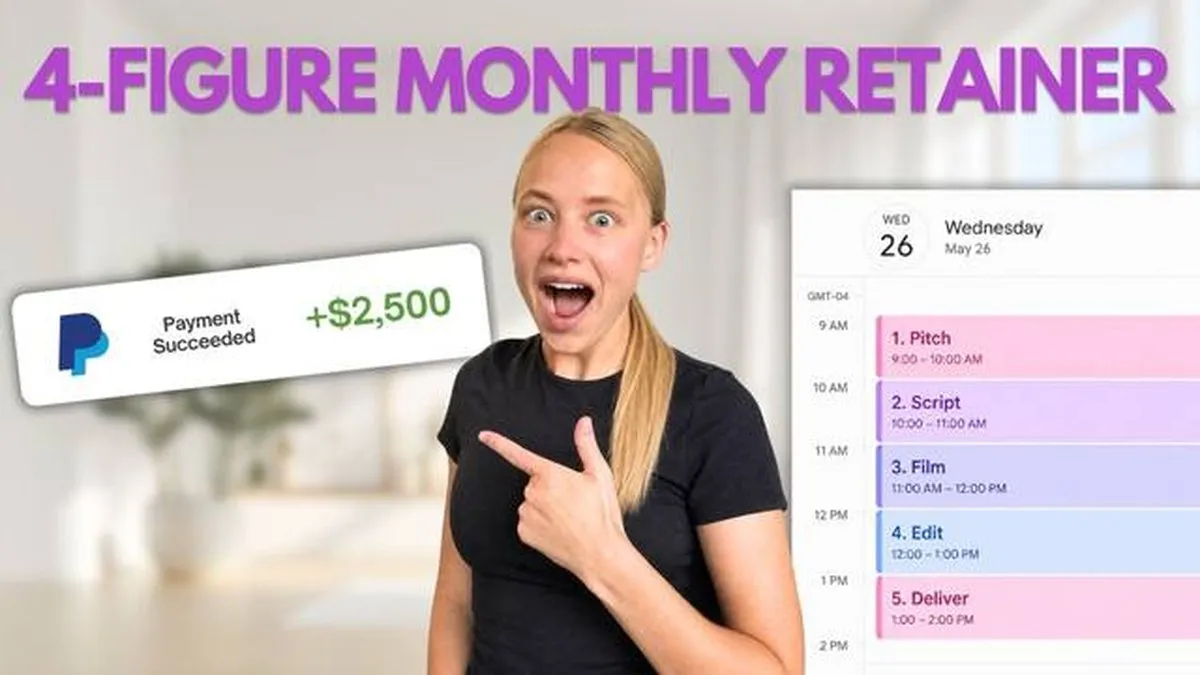
The video was the first of five for AI Apply, a tech company that pays me $2,500 a month on retainer. It was a software demo for their ads, and every second of those 6 minutes had to earn its spot or get cut.
Partway through the edit, the camera filming me died, and I had to re-film that part on a different day. Later the SD card filled up, so I kept editing with no camera on me at all.
I recorded that edit for YouTube and hid nothing, mess-ups included. AI Apply loved the video. I started with five videos for them, and they sent me another 10 to create.
When people ask me how to edit UGC videos, I walk them through that exact edit. UGC means user generated content: short videos a regular person films on a phone that a brand pays for and uses on its pages or as ads. The edit is where those videos win or lose.
How do you edit UGC videos in CapCut?
Edit in this order: cut the mistakes and dead space, lay in B-roll line by line, fix the color, then add text, captions, sound effects and music. Export, then deliver through a shared folder.
Every later step depends on the timing of the earlier ones. Headlines, captions and sound effects always go last for me, since they are much easier to place once the cut is final.
I edit on my phone in CapCut. If a computer works better for you, CapCut runs there too, and every step below carries over.
Before you open the app, upload your footage to Drive. I keep one folder per brand, and inside it one folder per video: video one, video two, video three. Some brands want the raw footage, which you can upsell, and you will always know where to find it again. If you want help with the filming side first, read how I film UGC videos on my phone.
Cut every mistake and every frame of dead space first
Your first pass deletes every stumble, pause and silent gap in your A-roll, right down to the frames before your first word. A-roll is the main footage of you talking to the camera.
Zoom into the timeline and cut right before you open your mouth. On my AI Apply hook, there were about five frames of nothing before "I applied to hundreds of jobs." Those five frames went.
There's so many content creators out there on the internet now. The milliseconds count.
Gloria Stonelake, 0:54:40
Clean cuts start while you film. When I mess up a line, I say the entire sentence again instead of fumbling on one word. Every cut then lands between full sentences and the audio never sounds choppy.
Once the cut is clean, add a few zooms. My creative strategy said "hard zoom on hundreds," so I zoomed on that word in the hook. In CapCut, tap the main track, add a keyframe at the start and another at the end, and the app zooms smoothly from the first mark to the second.
Use two or three zooms per video, four at most. I have seen creators overdo it.
Lay in B-roll line by line with the 2-second rule
B-roll is the extra footage that plays over your voice: you scrolling in bed, a screen recording, a reaction shot. Add it one line of your script at a time, following your creative strategy, the doc that says what each line needs.
Mine lists every line with its camera angle, editing notes and on-screen text. For the hook it read: close-up selfie, direct to camera, slight smirk, hard zoom on "hundreds," text "hundreds of apps, zero effort."
On each line, press Overlay, add the clip, make it full screen and trim it to the sentence. Keep only the part where something happens. Any B-roll where I sit still gets cut, and I keep the moments where I shake my head or show an expression.
Then I apply the 2-second rule: fill each line with as much B-roll as it can hold. The line "open LinkedIn" had nothing to show, so I filmed a quick clip of myself opening my laptop and dropped it in. Nobody asked for that shot in the creative strategy.
Even when the creative strategy doesn't necessarily say add this video of you opening your computer, you are smarter than AI. Remember that. So, you know the video the best.
Gloria Stonelake, 1:36:47
Screen recordings have their own rules:
- Show only the parts of the software that move, like typing or a loading bar
- Speed up long stretches; people don't notice on a muted demo, and it saves room
- Blur anything confidential, and leave out any screen that says "failed"
- Match the footage to the words, so when you say "location, role, salary," those fields are on screen
Never, ever, ever put pictures inside a UGC video.
Gloria Stonelake, 1:05:43
A still image looks stagnant and stalls the video. Keep everything in motion, including green screen shots. On mine I point at the demo behind me as it plays.
How do you color correct UGC without making skin look fake?
Make small adjustments and check your skin on every change. Knock the saturation down slightly, raise brilliance and highlights a little, and use HSL to keep the warmth in your skin so it does not wash out.
My green screen clip came out dark and a little oversaturated. I lowered the saturation without going gray, nudged brilliance up, brightened the highlights and went into HSL to keep my tan. The target was clean outdoor light.
For green screen, CapCut has an automatic background removal tool. You need CapCut Pro for it, and it did a clean job on my footage. I then added a body glow in AI Apply's purple so I stood out from the demo behind me.
Keep effects simple. I tried a marker outline first, and it looked like crayon on a tech video, so I switched to the glow and turned the range and intensity down. Every effect should match the brand's feel.
Where should captions and text go on a UGC video?
Put text where nothing covers it, which means away from the bottom of the frame. On YouTube a loading bar runs along the bottom, and text placed there gets covered and the ad performs worse.
Start with the hook text. A hook is the first line of your video, the one that stops the scroll.
My creative strategy called for "hundreds of apps, zero effort," and I added "applications on autopilot." Both went in one bold headline font, and I keep one font through the whole video.
Halfway through I stopped liking my first pick and switched to Montserrat. You can change things as you edit.
Skip captions while the hook text is on screen at the start. Too much text there overwhelms the viewer.
For the hook, I put the words behind my body. Duplicate your clip, overlay the copy on top, remove its background, then open Layers and slide the text between the two copies.
For captions, press auto-generate and then clean them up:
-
Use one line at a time, never two
-
Add a black glow stroke, kept modest, so the words hover off the footage
-
Pick a highlight color that matches the brand, like blue or the company's purple for a tech brand
-
Fix the grammar and commas so each caption reads like a sentence
- Delete captions that repeat on-screen text, like "step number one" when that text is already there
If a color is hard to read over a white background, darken it. My purple got lost over the white parts of the demo, so I switched to a deeper shade.
How loud should sound effects and music be in UGC?
Quieter than your voice, every time. Add sound effects only where something happens on screen, keep them subtle, and add music after captions so auto-captions can still hear you.
On the AI Apply video, a cursor sticker clicks on the logo. I added a click sound and lined it up so the sound hits the exact frame of the click. Over the progress bar I added a loading sound, faded it out and made it a little less loud.
Don't use the overused ones. Use the satisfying ones, subtle ones.
Gloria Stonelake, 2:02:27
Make sure it's not louder than your voice.
Gloria Stonelake, 2:03:33
Every effect needs a reason. I put an echo on "I never get an interview," partly to cover weak audio and partly to accentuate the point.
Don't go crazy with effects, but make sure each effect has a meaning.
Gloria Stonelake, 1:44:07
For music, pick something that fits the brand. I wanted techy and chill, and I skipped anything that sounded too corporate. Use music with no copyright, especially for anything that will run as an ad. YouTube has free no-copyright music if you search for it.
What is the minimum viable edit for UGC?
The minimum viable edit is clean audio, one text overlay with the hook, trending audio, and a simple cut wherever you mess up. Alexander K teaches this for talking-head content in our UGC Academy community.
He once reviewed a creator who spent 45 minutes per video on transitions, color grading, B-roll and animated text. Her videos looked polished and averaged 8,000 views. Then he showed her my Cloud Nine video that hit 1.6 million views, with a hook overlay, a simple cut and trending audio. He puts the editing time at maybe 10 minutes.
His argument is volume. With 45 minutes of editing per video, he says you can produce 4 to 5 videos a week. Cut that to 10 minutes and he puts it at 20 to 30. More videos means more chances to find a winner.
He adds that most CPM campaigns, where a brand pays based on the views your video gets, do not have heavy production requirements and want authentic talking-head content.
Keep edits simple. Text overlay for the hook. Cut out any mistakes. Add trending audio. Keep videos under 60 seconds. That's it.
Alexander K, UGC Academy post, 2025-11-28
Match the edit to the brief
My AI Apply videos were 60-second software demos for paid ads, and the brand's creative strategy called for screen recordings and B-roll. A talking-head video for a CPM campaign gets the minimum viable edit. Alexander says the same thing: if the campaign brief asks for more, follow the brief.
For the other places beginner edits go wrong, read the UGC video mistakes I see in beginner portfolios.
Should you outsource UGC editing as a beginner?
No. Learn to edit your own videos before you pay anyone else to do it. The edit decides how a video performs, so it is the skill brands are really paying you for.
I once saw a post in a creator Facebook group from someone who had just landed her first paid deal. She hated editing and wanted a cheap editor for around $10 per video. Everyone in the comments cheered her on and dropped names of $5 to $15 an hour editors. I sat there thinking she was about to kill her own business before it even started.
Editing isn't technical work. It's psychological work.
Gloria Stonelake, UGC World post, 2025-10-01
The timing of your hook, the pacing of the story and where you place proof all happen in the edit. An editor who has never used the product does not know which moments need emphasis. I have seen creators get great results on their self-edited videos, hand editing to cheap help to scale, and watch performance tank.
I'm going to give directions to my editor to edit the rest because you must understand how to edit it yourself before you outsource to editors.
Gloria Stonelake, 0:35:04
That was my plan on AI Apply: edit the first video myself on camera, then give my editor directions for the rest.
When your business is busy and you have cracked editing, help makes sense. Read when a UGC creator should hire a virtual assistant before you make that call. Batching helps too, and I explain my process in how I batch film UGC.
How to export and deliver your finished UGC video
Export at 1080p and 30 frames per second, then upload the file to a shared Drive folder and send the link on the same email thread you have with the brand.
My export checklist in CapCut:
- 1080p resolution at 30 frames per second
- AI Ultra HD off
- Smart HDR off
- Optical flow off
- Bitrate left alone
Watch the export in your camera roll before you send anything. Then open the brand's Drive folder, create a "finished video" folder inside that video's folder, and name the file clearly, like "video one AI Apply." Drive previews look blurry, but the file downloads at full quality.
Share the folder with the brand's email as a viewer, then reply on the existing email thread with the link. Never start a new email. Label each video with its number and concept, like "Video 1 (auto apply pipeline)," so they never have to ask which file is which. For the rest of the handoff, see how to deliver UGC content so brands book you again.
Your first edit will be slow. A full brand edit takes me about an hour or two, and the one on camera ran longer because I was explaining every tap. Sit down, grind it out, and do it again on the next video.
Disclaimer: This post describes Gloria's and Alexander's own experience and workflow. Results vary from creator to creator, and nothing here promises any specific views, deals or income.
Frequently asked questions
Can you edit UGC videos on your phone?
Yes. Gloria edits her brand videos in the CapCut app on her phone, including green screen, keyframe zooms, captions and sound effects. CapCut on a computer works too if you prefer a bigger screen; the steps are the same.
Do you need CapCut Pro for UGC editing?
The one feature Gloria names as needing CapCut Pro is automatic background removal. She uses it for green screen shots and for placing text behind her body, and she recommends getting Pro on your phone for it.
How long should it take to edit a UGC video?
Gloria told her viewers a full brand edit with B-roll, screen recordings and graphics takes her about an hour or two. Alexander says a simple talking-head video with a hook overlay, cuts and trending audio takes around 10 minutes.
What export settings should I use for UGC in CapCut?
Gloria exports at 1080p and 30 frames per second. She turns off AI Ultra HD, smart HDR and optical flow, and she never touches the bitrate.
Should a beginner pay someone to edit their UGC?
Gloria's advice is to learn editing yourself before you hand it off, because the edit decides how the video performs. Once you have cracked editing and your business is busy, a virtual assistant can take the simple edits off your plate.
About the author. Gloria Stonelake is co-founder of UGC World and Head of Creator Talent. She took home over $150K in one year from UGC, then built the agency brands pay to staff their campaigns with trained creators. Meet the UGC World team.
UGC World is a personal and business finance education and training company. Results described here are the experiences of the named creators and are not typical. Success depends on implementation and effort. We do not make claims about what you should expect to make.